Figmaのインスタンスに独自のレイヤー名を付けていると、参照元のコンポーネント名と異なることがあります。このプラグインは差分を一覧に出し、確認後にインスタンス側の名前を変更します。意図的な別名も差分になるため、検出したものをすべて誤りとは扱いません。
ライブラリの未公開変更を取得する仕組みではない
getMainComponentAsyncで参照元を取得します。ローカルのコンポーネントはその名前を使い、外部参照ではkeyを使って公開ライブラリからの読み込みを試みます。importComponentByKeyAsyncは、公開済みのコンポーネントがない場合やリクエストに失敗した場合に拒否されます。
取得に失敗した場合は参照元の名前を使い、UIに取得元を表示します。未公開の変更や最新の元ファイルを必ず取得できる方法ではありません。出典:InstanceNode、ライブラリの読み込みAPI。
使い方と変更対象
- 複製したファイルで、調べたいインスタンスまたは親のフレームを選びます。
- プラグインを起動し、スキャンを押します。未選択の場合は現在のページが対象です。
- 名前と取得元、取得できなかった件数を確認します。
- 一覧のクリックはキャンバス上の対象を選択する操作で、一覧からの除外操作ではありません。
- 変更したくない別名が含まれる場合は、キャンバス上で変更するインスタンスだけを選び直し、スキャンを押して一覧を作り直します。
- 変更ボタンは一覧の全件を対象とするため、再スキャン後の名前と件数を確認します。
- 名前をそろえる場合は変更ボタンを押し、確認後に実行します。
コードはスキャン時のIDと名前を保持し、変更直前に対象がINSTANCEのままで、名前と参照元が変わっていないか照合します。UIから任意の新しい名前を送ってそのまま代入する構成にはしません。ただし、ライブラリの同時更新をすべて排除するものではありません。
ファイルを作成する
FigmaのNew pluginで生成したmanifestを基に、次の設定を使います。掲載例ではidを省略しています。自分のmanifestに割り当てられたidがある場合はその値を保ち、サンプルの任意文字列に置き換えません。3ファイルを同じフォルダへ保存してください。
manifest.json
{
  "name": "Instance Name Checker",
  "api": "1.0.0",
  "main": "code.js",
  "ui": "ui.html",
  "editorType": [
    "figma"
  ],
  "documentAccess": "dynamic-page",
  "networkAccess": {
    "allowedDomains": [
      "none"
    ]
  }
}
code.js
figma.showUI(__html__, { width: 480, height: 560 });
let busy = false;
let reviewed = new Map();
figma.ui.onmessage = async msg => {
  if (!msg || !["scan", "rename-all", "focus"].includes(msg.type)) return;
  if (busy) return;
  busy = true;
  try {
    if (msg.type === "scan") {
      reviewed.clear();
      const unique = new Map();
      const selection = figma.currentPage.selection;
      const roots = selection.length ? selection : [figma.currentPage];
      for (const root of roots) {
        if (root.type === "INSTANCE") unique.set(root.id, root);
        if ("findAllWithCriteria" in root)
          for (const n of root.findAllWithCriteria({ types: ["INSTANCE"] })) unique.set(n.id, n);
      }
      const cache = new Map();
      let skipped = 0, fallback = 0;
      for (const instance of unique.values()) {
        try {
          const main = await instance.getMainComponentAsync();
          if (!main) { skipped++; continue; }
          let mainName = main.name, source = "参照元";
          if (main.remote) {
            if (!cache.has(main.key)) cache.set(main.key,
              figma.importComponentByKeyAsync(main.key).then(c => c.name).catch(() => null));
            const published = await cache.get(main.key);
            if (published !== null) { mainName = published; source = "公開ライブラリ"; }
            else { fallback++; source = "参照元(公開情報取得不可)"; }
          }
          if (instance.name !== mainName)
            reviewed.set(instance.id, { instanceId: instance.id, instanceName: instance.name,
              mainName, referenceName: main.name, componentKey: main.key, mainId: main.id, source });
        } catch (_) { skipped++; }
      }
      figma.ui.postMessage({ type: "scan-result", results: Array.from(reviewed.values()), skipped, fallback });
    } else if (msg.type === "rename-all") {
      let updated = 0, skipped = 0;
      const ids = Array.isArray(msg.ids) ? Array.from(new Set(msg.ids)) : [];
      for (const id of ids) {
        const row = reviewed.get(id);
        if (!row) { skipped++; continue; }
        try {
          const node = await figma.getNodeByIdAsync(id);
          if (!node || node.type !== "INSTANCE" || node.name !== row.instanceName) { skipped++; continue; }
          const main = await node.getMainComponentAsync();
          if (!main || main.id !== row.mainId || main.key !== row.componentKey ||
              main.name !== row.referenceName || node.name !== row.instanceName) { skipped++; continue; }
          node.name = row.mainName;
          updated++;
        } catch (_) { skipped++; }
      }
      reviewed.clear();
      figma.ui.postMessage({ type: "renamed", updated, skipped });
    } else {
      if (!reviewed.has(msg.instanceId)) return;
      const node = await figma.getNodeByIdAsync(msg.instanceId);
      if (node && node.type === "INSTANCE") {
        figma.currentPage.selection = [node];
        figma.viewport.scrollAndZoomIntoView([node]);
      }
    }
  } catch (_) { figma.ui.postMessage({ type: "error", message: "取得または変更に失敗しました。再スキャンしてください。" }); }
  finally { busy = false; }
};
ui.html
<!doctype html><html lang="ja"><meta charset="utf-8">
<style>body{font:13px/1.5 sans-serif;padding:12px}button{margin:4px}li{margin:10px 0;overflow-wrap:anywhere}</style>
<button id="scan">スキャン</button><button id="rename" disabled>表示した差分を変更</button>
<p id="status">選択範囲を確認してください。未選択は現在のページです。</p><ul id="list"></ul>
<script>
let results = [];
const scan = document.getElementById("scan"), rename = document.getElementById("rename");
const status = document.getElementById("status"), list = document.getElementById("list");
function send(message) { parent.postMessage({ pluginMessage: message }, "*"); }
function lock() { scan.disabled = rename.disabled = true; }
scan.onclick = () => { lock(); status.textContent = "取得中…"; send({ type: "scan" }); };
rename.onclick = () => {
  if (!results.length || !confirm("表示したインスタンスの名前を変更しますか?")) return;
  lock(); send({ type: "rename-all", ids: results.map(r => r.instanceId) });
};
window.onmessage = event => {
  if (event.source !== parent) return;
  const msg = event.data && event.data.pluginMessage;
  if (!msg) return;
  scan.disabled = false;
  if (msg.type === "scan-result") {
    results = msg.results; list.replaceChildren();
    for (const r of results) {
      const li = document.createElement("li"), button = document.createElement("button");
      button.textContent = r.instanceName + " → " + r.mainName + "(" + r.source + ")";
      button.onclick = () => send({ type: "focus", instanceId: r.instanceId });
      li.appendChild(button); list.appendChild(li);
    }
    status.textContent = `差分${results.length}件 / 取得不可${msg.skipped}件 / 公開情報取得不可${msg.fallback}件`;
    rename.disabled = !results.length;
  } else if (msg.type === "renamed") {
    results = []; rename.disabled = true;
    status.textContent = `変更${msg.updated}件 / スキップ${msg.skipped}件。再スキャンしてください。`;
  } else if (msg.type === "error") { results = []; rename.disabled = true; status.textContent = msg.message; }
};
</script></html>
差分が出ない・取得できないとき
- 参照元が取れなかった件数と、公開情報の取得失敗を分けて確認する。
- ローカルのコンポーネントを公開ライブラリ扱いしない。
- 意図的な名前変更は維持し、必要なら対象選択を絞って再スキャンする。
- スキャン後に別の操作をした場合は再スキャンする。
名前の変更はコンポーネントの差し替えではありません。別の部品へ変える場合はインスタンス入れ替えプラグインを参照してください。
元記事の操作例
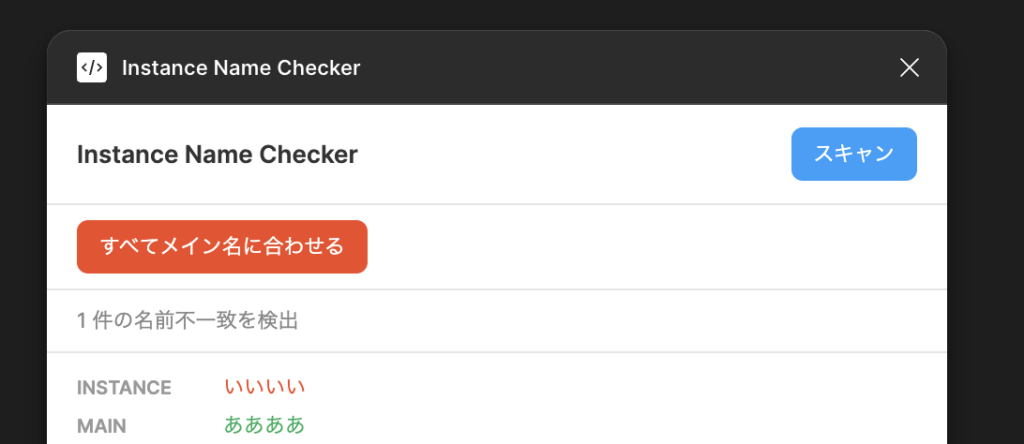
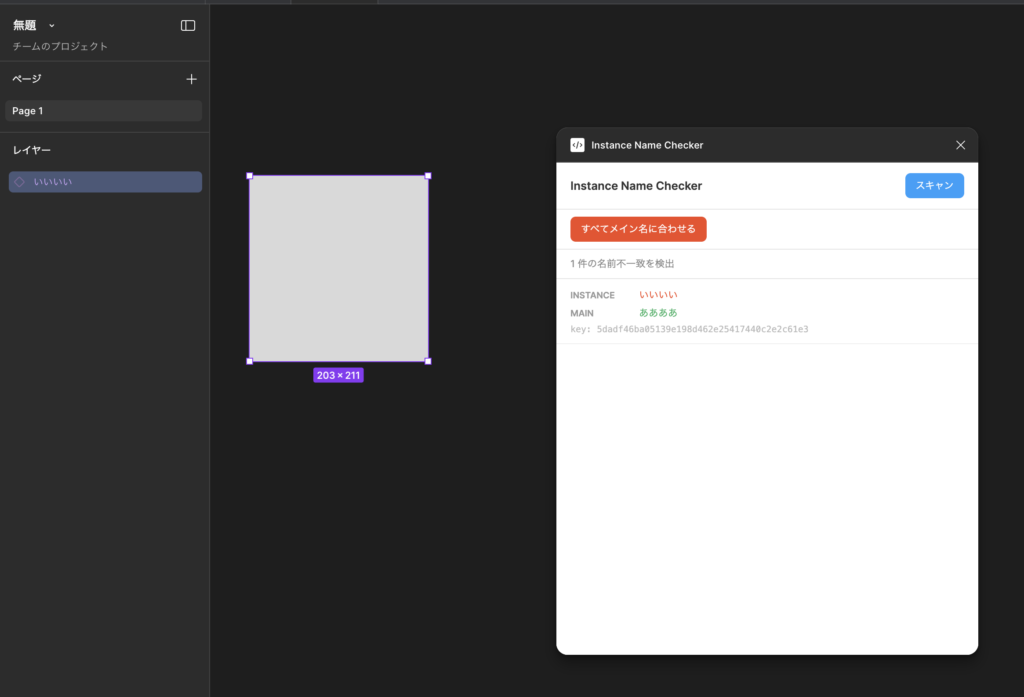
以下は元記事で掲載していた開発時の画面です。今回のコード改稿後に撮影した検証画像ではありません。現行の表示や変更結果は、複製したファイルで確認してください。
検証範囲と関連ガイド
今回確認したのは掲載コードの構文と、該当する入力・例外処理のローカル模擬検証です。Figmaデスクトップアプリ上での動作確認とは区別しています。改稿後のコードと、元記事が参照していたGitHub上の版が一致するとは限りません。
開発環境と登録手順はFigmaプラグイン開発入門、公開はCommunityへの申請を参照してください。
よくある質問:Figmaインスタンス名の比較プラグインで迷ったときのチェックリスト
このプラグインは、何をしますか?
Figmaのインスタンスに独自のレイヤー名を付けていると、参照元のコンポーネント名と異なることがあります。このプラグインは、差分を一覧に出し、確認後にインスタンス側の名前を変更します。
検出された差分は、すべて誤りですか?
いいえ。意図的な別名も差分になるため、検出したものをすべて誤りとは扱いません。変更してよい差分だけを対象にします。
ライブラリの未公開の変更も、取得できますか?
できません。このプラグインは、ライブラリの未公開変更を取得する仕組みではありません。取得に失敗した場合は、参照元の名前を使い、UIに取得元を表示します。未公開の変更や最新の元ファイルを、必ず取得できる方法ではありません。
変更ボタンは、どの範囲を変更しますか?
この例の変更ボタンは、表示した差分の全件を対象とします。一覧のクリックは対象へ移動する操作で、変更対象から除外する機能ではありません。意図的な別名を含む場合は、キャンバス上の選択範囲を絞って再スキャンしてから実行してください。
差分が出ない、または取得できないときは?
参照元が取れなかった件数と、公開情報の取得失敗を分けて確認します。意図的な名前変更は維持し、必要なら対象選択を絞って再スキャンします。スキャン後に別の操作をした場合は、再スキャンします。
名前を変えると、コンポーネントも差し替わりますか?
いいえ。名前の変更は、コンポーネントの差し替えではありません。別の部品へ変える場合は、インスタンス入れ替えプラグインを参照してください。
このコードは、Figmaで動作確認済みですか?
今回確認したのは、掲載コードの構文と、入力・例外処理のローカル模擬検証です。Figmaデスクトップアプリ上での動作確認とは区別しています。複製したファイルで、確認してから使ってください。