スケール値で画像のサイズを変えるのは好きじゃないので、
標準機能で画像の比率を維持しながらサイズを変更する方法です。
目次
uGUIで画像の比率を維持しながらサイズを変更する方法
その1 Rect Tool
TキーでRect Toolツールにして、Alt+Shift押しながらサイズを変更します。
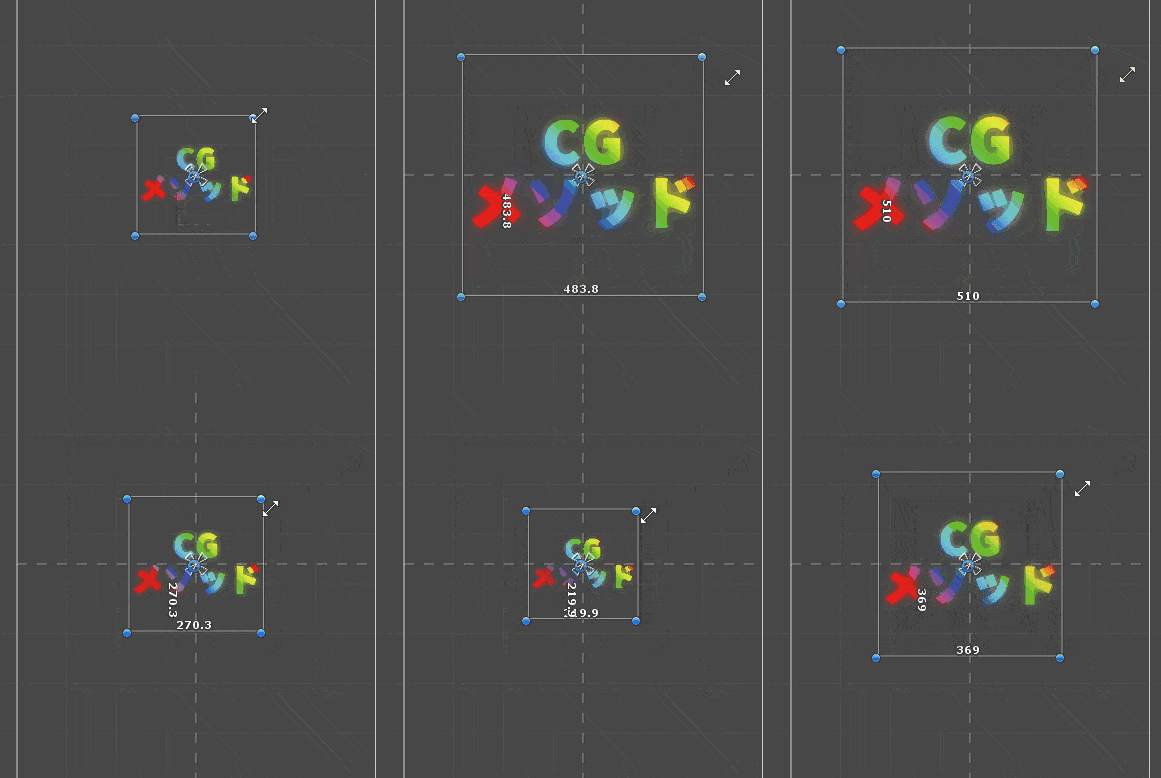
もちろんスケールの値は変わりません
その2 Aspect Ratio Fitter
Aspect Ratio Fitterというコンポーネントをアタッチ、Width Controls Heightにして、画像のWidthを調整するとHeightの値も変更されます。
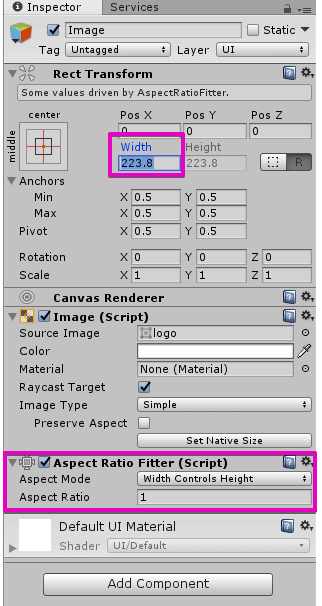
こちらのほうが数値入力がしやすいです。
あわせて読みたい
Unity - Manual: Unity Manual
The Unity Manual helps you learn and use the Unity engine. With the Unity engine you can create 2D and 3D games, apps and experiences.